 TruePace
Find your true pace.
A focus timer that learns how you actually work — adapting estimates, coaching your plan, and showing you when you do your best work.
How it works
Built around how you actually work
Pace mode
Run your whole plan straight through
Pace mode runs a sequence of tasks with no breaks between them. TruePace shows your running pace across the full set — Step 2 of 5 · 41 min in · on pace — and auto-flows to the next step. The truest way to pace a real block of work.
Adaptive learning
It adapts to you
Every session feeds a private, on-device model of your real focus rhythm. Estimates get sharper. You learn which times of day you do your best work and which kinds of tasks always run long.
AI coaching
Coaching when you want it
Optional AI coaching reviews your plan before you start — flagging over-ambitious estimates, missing breaks, and back-to-back similar tasks. On supported iPhones it runs on-device; a cloud assist is available when you turn it on.
Voice planning
Plan in seconds, by voice
Speak your day and TruePace turns it into tasks. Or brain-dump a list and start. No manual entry required.
Focus modes
Every kind of work session
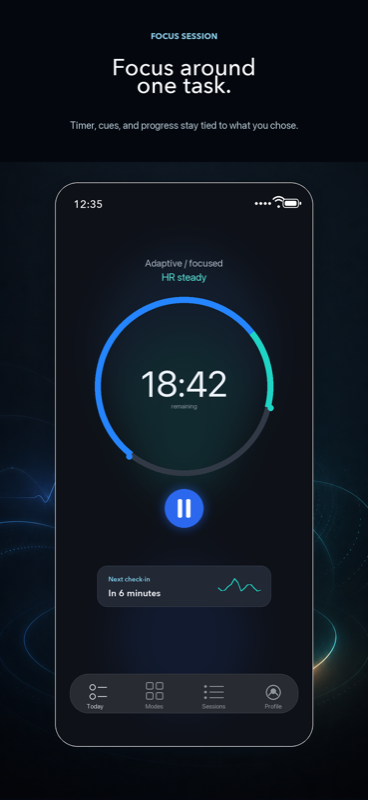
Micro, Pomodoro, Extended, Flow, Adaptive, Custom, and Pace — with a live timer on your Lock Screen, Dynamic Island, and Apple Watch throughout.
Session review
Estimates vs. reality
After each session, see exactly where you over- or under-estimated. Review interruptions, task groups, and focus patterns over time to make the next plan more honest.
Early access
Get early access
Be the first to know when TruePace launches on the App Store.
Private by design
Your data stays yours
On-device timing
Core timing and planning work runs locally — nothing sent out for the basics.
Your iCloud
Sync uses your own private iCloud account. We never see a copy of your data.
Health stays local
Apple Health data stays on your device — not synced, not sent to any AI service.
Cloud AI is opt-in
Cloud AI is off by default. You turn it on explicitly, and you can turn it off at any time.